
Connect an assistant
Connect ChatGPT
Turn on Developer mode, add memex as an app and approve the connection.
memex connects to ChatGPT as an MCP app, which ChatGPT offers once Developer mode is on.
Turn on Developer mode
In ChatGPT, open Settings → Security and login and switch on Developer mode. Open ChatGPT settings
Add Memex as a plugin
Open Plugins and choose + (Add) → Create MCP App. Name it Memex, paste this address, tick the confirmation box and click Create.
https://memex.tools/mcpAllow the connection
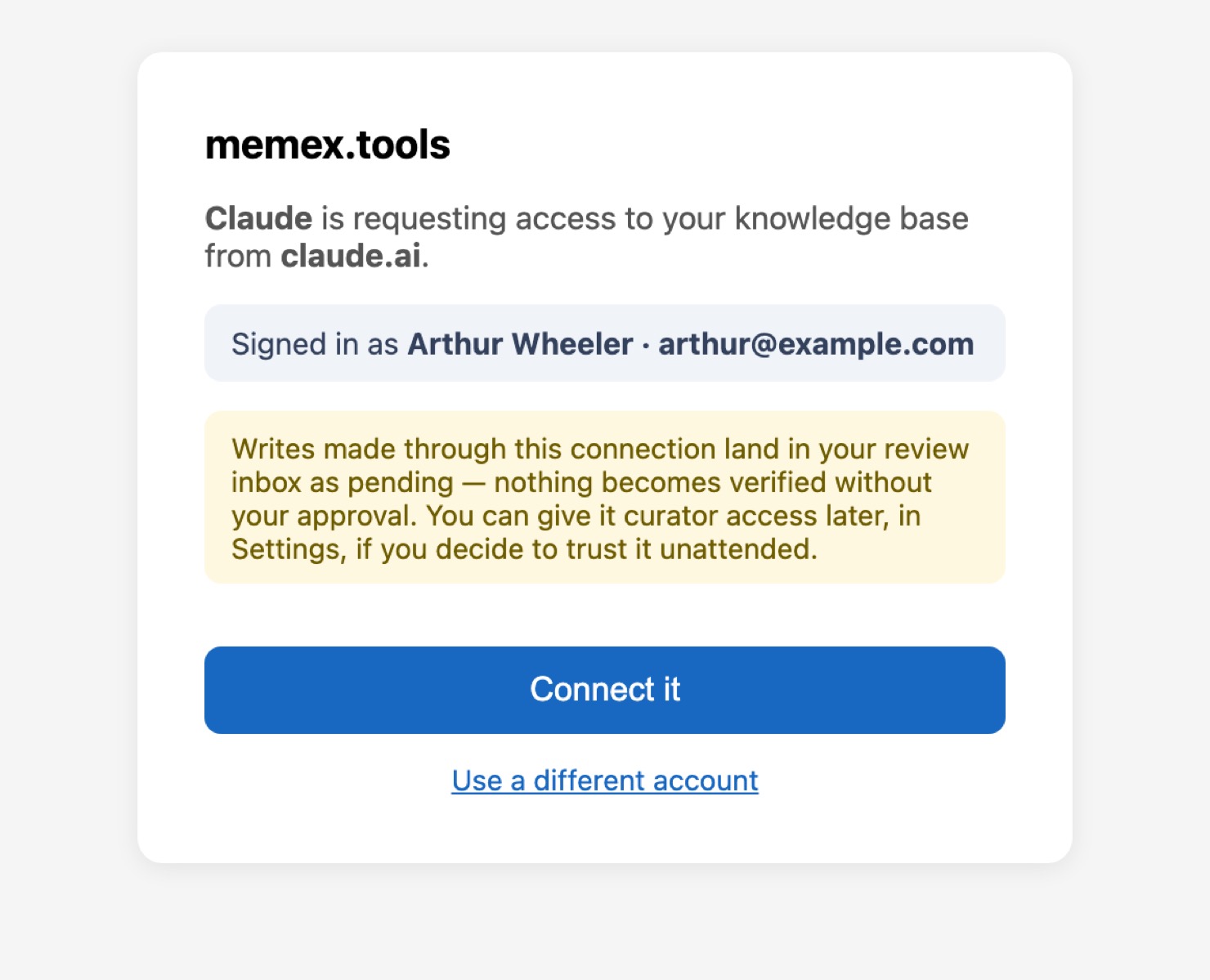
memex opens in a new tab. Click Connect it.
Allow all actions
To stop ChatGPT asking each time, open Settings → Plugins → Memex and choose Allow all actions.
Verify the connection
In a new chat, ask:
Can you reach my memex? Tell me in a sentence what memex is.
Then send your first message, with the line that makes ChatGPT remember it.
Troubleshooting
No Create MCP App in the menu. Developer mode is off. See ChatGPT has no Create MCP App.
A memex tool is missing. ChatGPT keeps the list of memex tools from the day you added the app. Delete Memex in Settings → Plugins and add it again.