
Connect an assistant
Connect Claude
Add memex to Claude as a custom connector, approve it, and let its tools run without asking.
memex connects to Claude as a custom connector.
Add memex to Claude
Open Add to Claude. Claude opens with Memex and its address filled in. Click Add.
If the link doesn’t work, open Claude connectors:
- In Claude, open Settings → Connectors and click Add.
- Name it Memex, paste this address and click Continue.
- Keep the detected settings, then click Add.
https://memex.tools/mcpConnect and approve
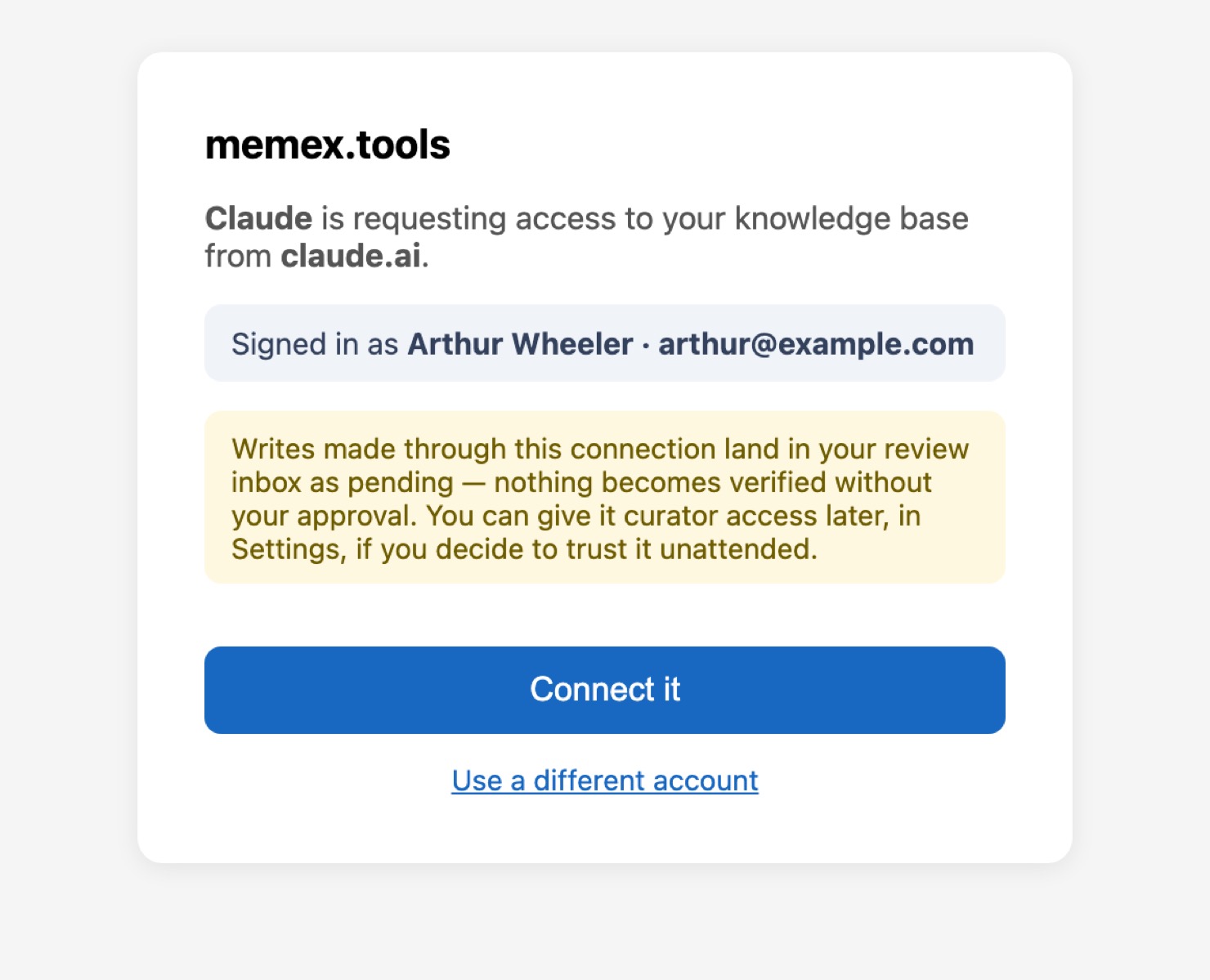
Click Connect next to Memex in Claude. When memex opens, click Connect it.
Allow all tools
To stop Claude asking before every memex action, open Memex in Connectors and choose Always allow for both Read-only tools and Write/delete tools.
Verify the connection
In a new chat, ask:
Can you reach my memex? Tell me in a sentence what memex is.
Then send your first message, so Claude knows how to use memex with you.
Troubleshooting
A memex tool is missing. Claude keeps the list of memex tools from the day you added the connector. Remove Memex from Connectors and add it again. See My assistant doesn’t use memex.
Claude asks before every action. See Stop the assistant asking every time.